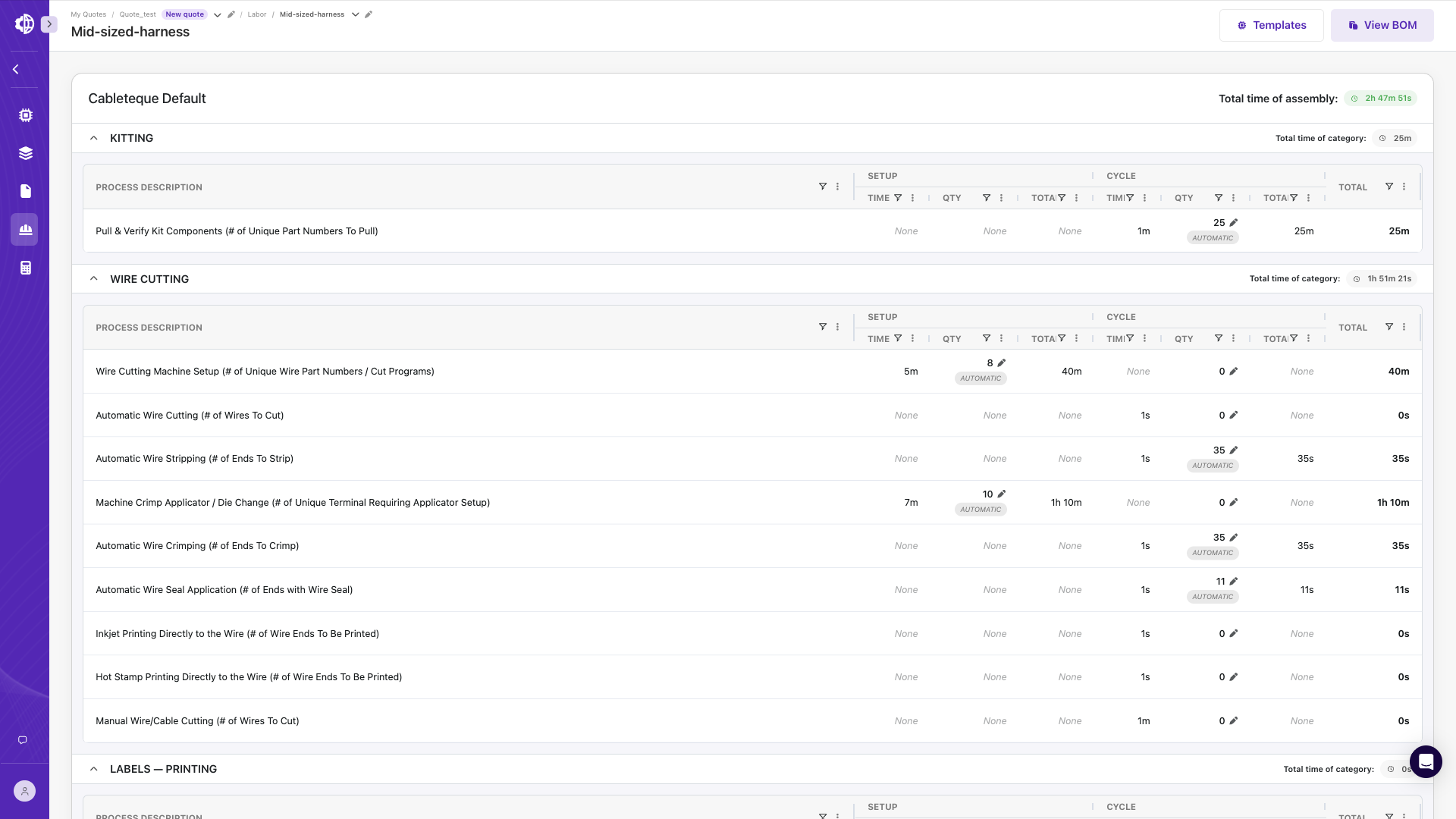
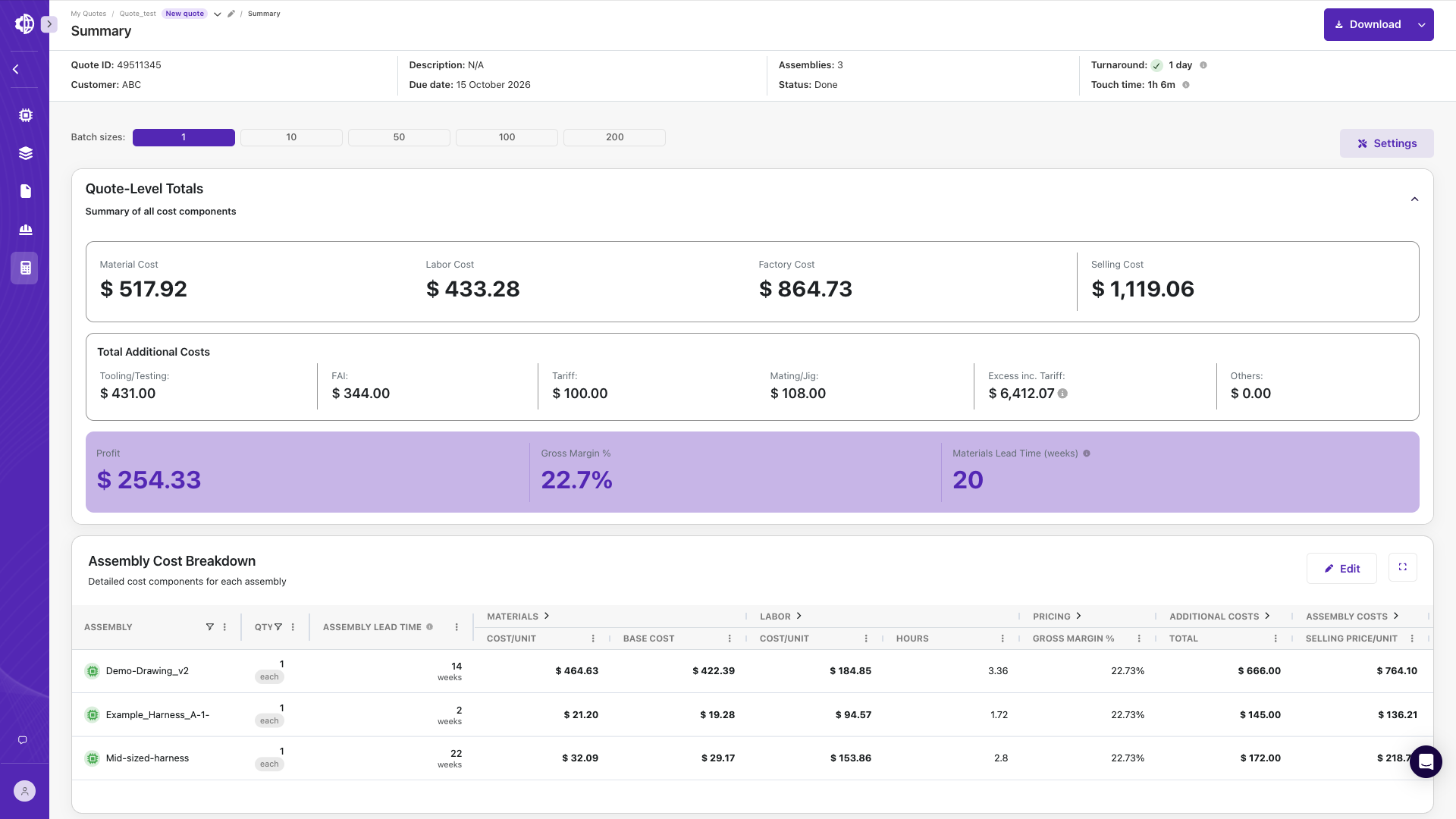
Create the Quoting BOM and Wire List From Any Customer Drawing
Cableteque reads customer drawings and RFQ packages in any format, builds the bill of materials and wire list in minutes, and flags missing or conflicting information for engineering review.
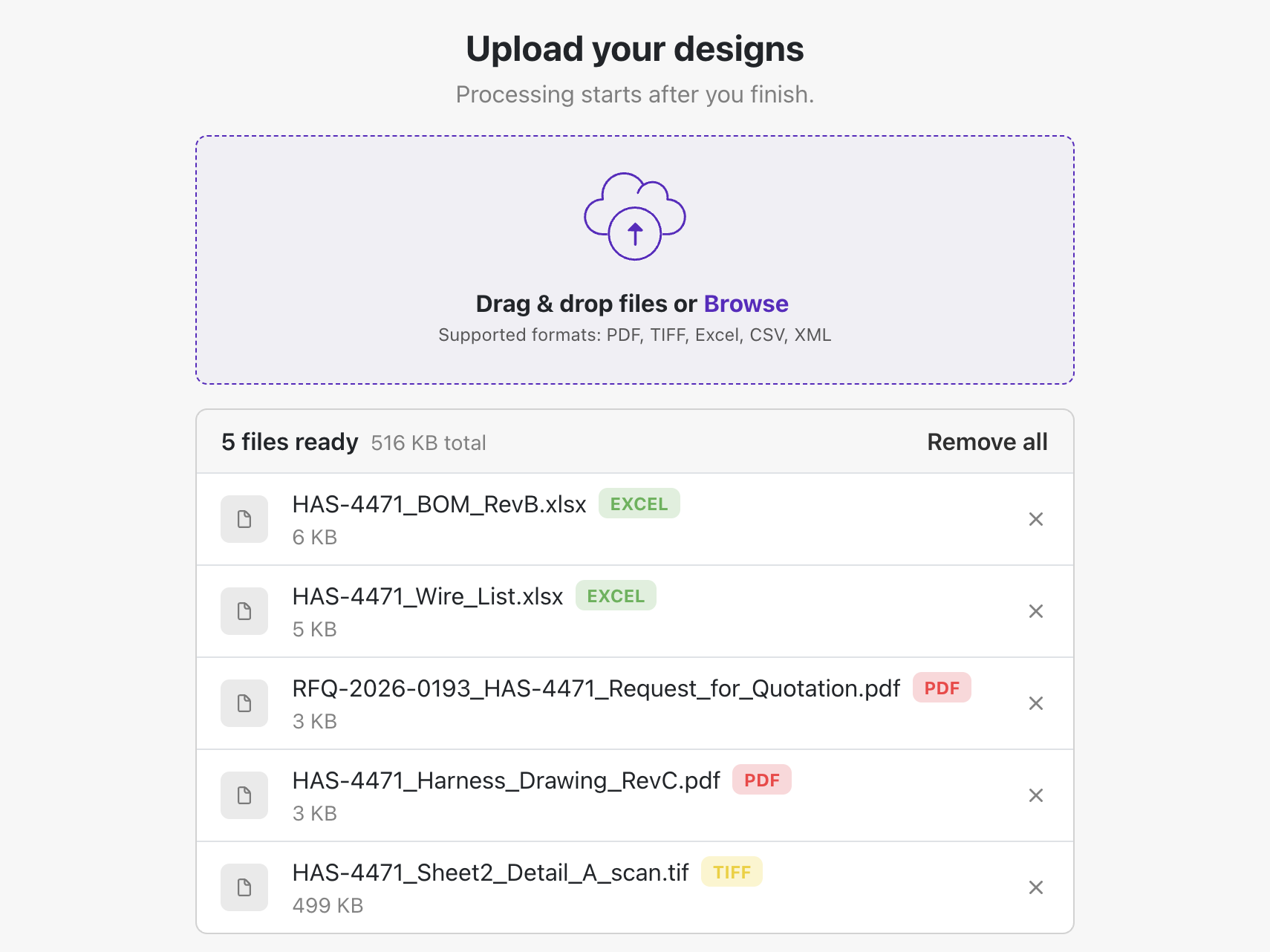
Accepts any customer drawing or RFQ package
Upload PDFs, TIFFs, scanned drawings, Excel BOMs and native XML files. There is no limit on the number or size of files in a quote package.
Processed before engineering review
Sales or estimating uploads the package. The BOM and wire list are ready when the engineer opens the quote.
Organized by assembly
Each part number is created as its own assembly and quoted at the quantity breaks set for the quote.
Builds the BOM even when the drawing has no parts list
Cableteque classifies every table on the drawing, cross-checks the BOM against the wire list and applies requirements stated in the drawing notes.
Initial BOM
Item ID, manufacturer part number, quantity, unit of measure and reference designators, extracted from the customer BOM, counted from the connector tables, or from text around the drawing.
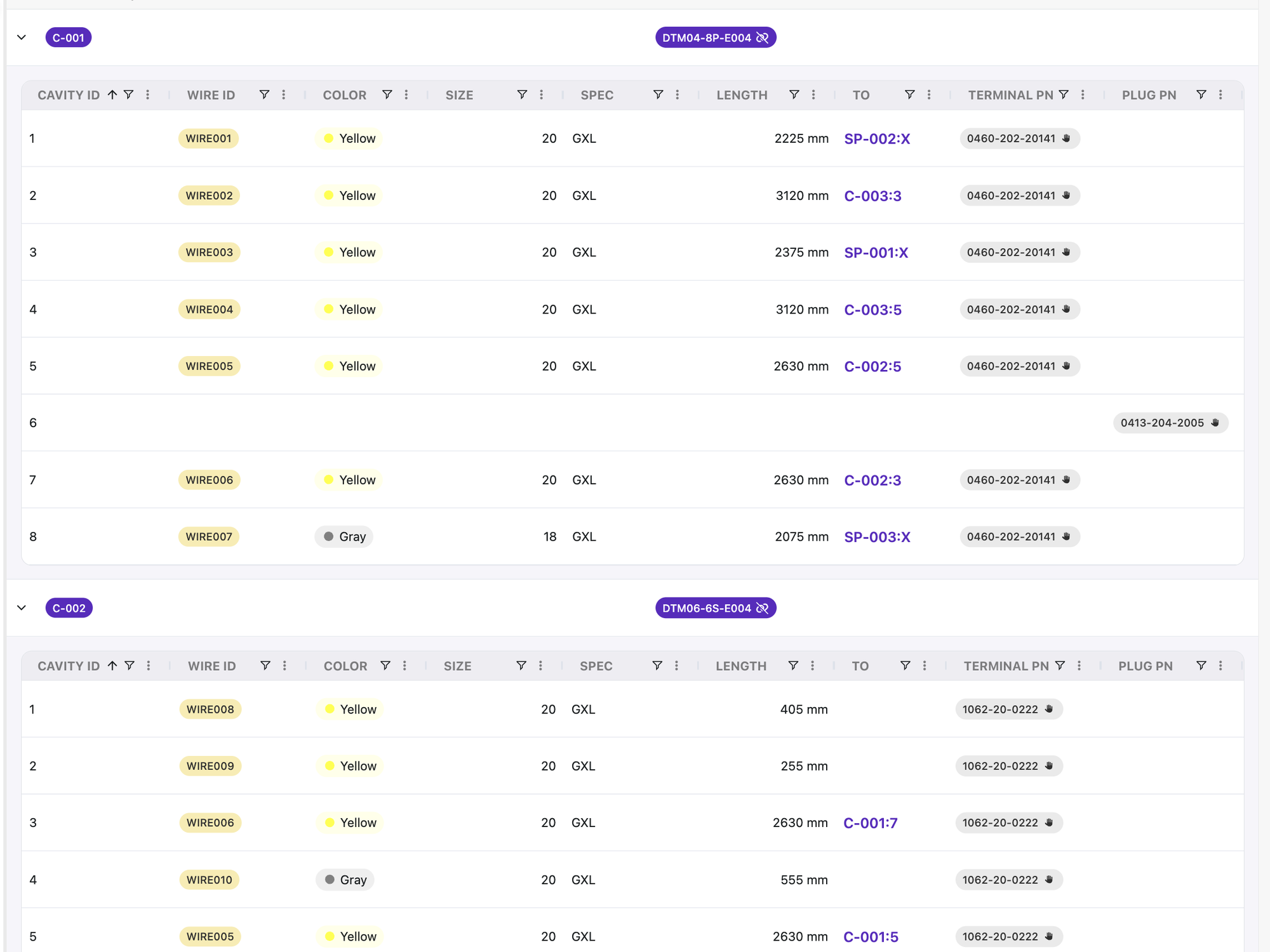
Wire list in connector view
Wire ID, gauge, color, specification, terminal, plating, seal and plug for every cavity, with from-to connections.
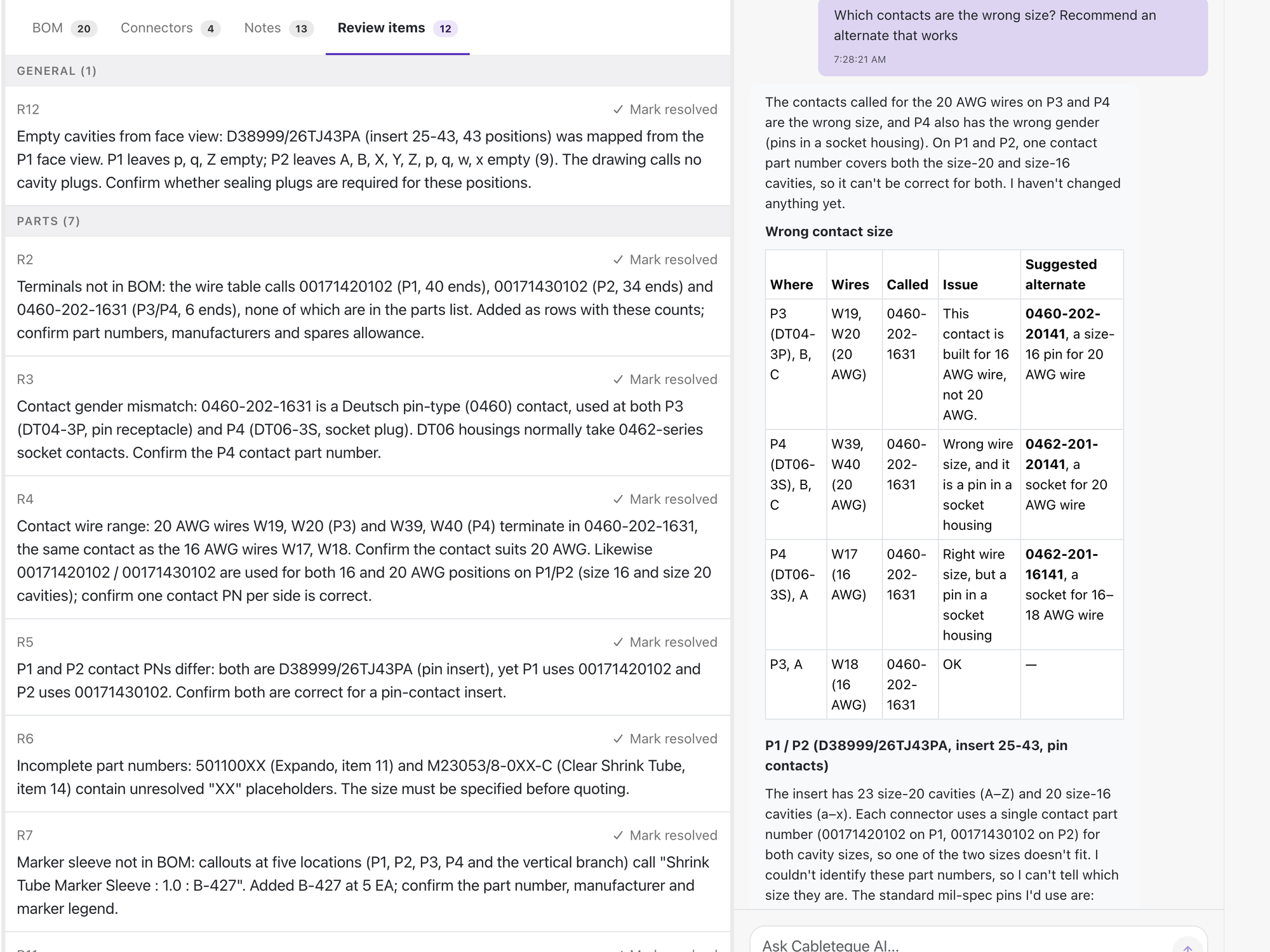
Missing and conflicting information, flagged on day one
Engineers review exceptions instead of entering data, and open questions go to the customer at the start of the quote rather than weeks into it.
Typical review items
Undefined contacts and cavity seals, unspecified splice types, generic wire specifications and customer-supplied parts without part numbers.
Controlled edits
Edit the BOM directly or apply bulk changes through Cableteque AI. Build-to-print BOMs are never changed without engineering approval.
Customer Context
Store each customer's workmanship requirements, standard practices and past engineering decisions. Cableteque applies them consistently on every quote for that customer.
Customer Parts
Upload a customer's AVL once. Internal part numbers are crossed to manufacturer part numbers, approved alternates are sourced and unlisted part numbers are flagged.
Generic wire specifications
Wire specified by gauge, color and type is matched to more than 100,000 manufacturer and distributor part numbers.
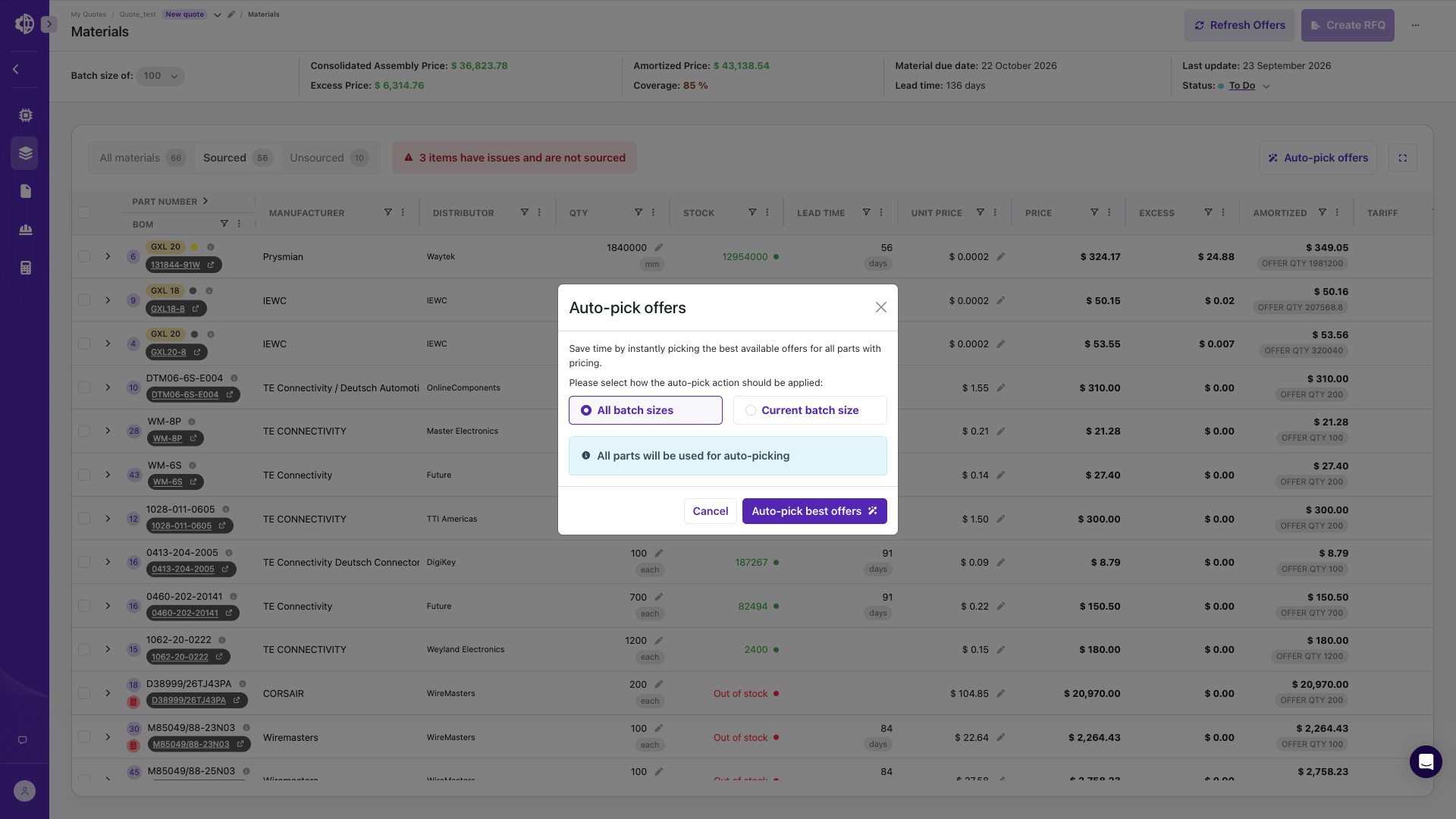
Auto pick
When the drawing defines the connector and wire gauge but not the contacts or seals, Auto pick selects them from your preferred parts, including plating.
Dash numbers
Select the configuration to quote from a multi-dash drawing, and Cableteque rebuilds the BOM for that configuration.
10 million part library
Every line is validated against 10 million parts, 2 million of them with full datasheet data, mating parts and accessories.
2 million with full technical data
Matched from a generic specification
Quoting on Cableteque today
Manual BOM creation vs. Cableteque
What changes when Cableteque builds the quoting BOM instead of an engineer entering it into Excel.
Swipe to compare →
| Task | CabletequeCableteque Quote | ManualPDF, Excel and manual entry |
|---|---|---|
| Reads PDFs, scans, TIFFs, XML and Excel | Entered by hand | |
| Builds the BOM when there's no parts list | From the connector tables and wire list | Counted manually |
| Builds the wire list | Connector view, every cavity | Entered line by line |
| Identifies missing or conflicting information | Review items on day one | Found weeks into the quote |
| Applies customer-specific requirements | Customer Context, on every quote | Depends on the engineer |
| Crosses customer part numbers | From the customer's AVL | Looked up one at a time |
What wire harness teams say about Cableteque
“Cableteque has transformed the way we at Nortech approach the quoting process.”
The software’s ability to quickly process drawings, identify material requirements, and enable faster quote development has been a major advantage for our team. … Overall, their support model is among the best I’ve experienced in my career.
“Auto conversion of drawings to API fillable BOM that populates prices and options and labor costing.”
Quotes taking too long do not get bid successfully and speeding up the process
“On one quote alone, Cableteque saved me about 18 hours of work.”
I feel more confident in the pricing because I can see the exact number. Customers have told us our pricing is more competitive.
The rest of the quoting workflow
Four steps, one quote. Each step picks up exactly where the last one left off.
See Cableteque build a BOM from your drawing
Send a current RFQ package before the demo and we will process it live.
Frequently asked questions
What file formats does Cableteque accept?
PDF, Excel, TIFF, native XML and scanned drawings, including complete RFQ packages. There is no limit on the number or size of files.
What if the customer didn't provide a BOM?
Cableteque does not need a BOM to create one. It counts connectors, terminals, seals and wires from the connector tables, wire list and harness layout.
Will Cableteque change our customer's BOM?
No. Cableteque does not change a build-to-print BOM or make engineering decisions, such as selecting cable seals, without approval. These are flagged as review items.
How are customer part numbers handled?
Upload the customer's AVL or cross-reference list once under Customer Parts. Cableteque crosses internal part numbers to manufacturer part numbers and flags any part number that is not on the list.
How are multi-configuration drawings and dash numbers handled?
Each part number is its own assembly. Select the dash number to quote and Cableteque rebuilds the BOM for that configuration.
Does every part need to be in the Cableteque library?
Not for BOM creation. Cableteque builds the BOM from the drawing. Auto pick and part validation use the library.
How long does processing take?
A simple drawing is processed in a few minutes. Large packages take longer because every page is analyzed.
Is our data used to train AI models?
No. Your drawings, BOMs and pricing are never used to train or fine-tune AI models, and they are never shared with other customers. See how we protect your data.
What happens after the BOM is complete?
Once review items are resolved, the BOM moves to material sourcing.