1-1.png?width=190&height=34&name=logo-transparent%20(1)1-1.png)
Know if an RFQ Is Ready to Quote, in Minutes
Customer RFQs arrive as email chains, portal downloads and zip files. Cableteque reads the whole package, finds every file and flags what's missing before your team starts the quote.
Most quotes stall before anyone starts quoting
An RFQ is rarely one drawing.
It's usually a package of drawings, BOMs, AVLs, workmanship specs, revision changes, quality clauses and legal terms. Someone has to open every file, work out who needs to review what, check that you have everything needed to quote, and decide whether you want to pursue the opportunity.
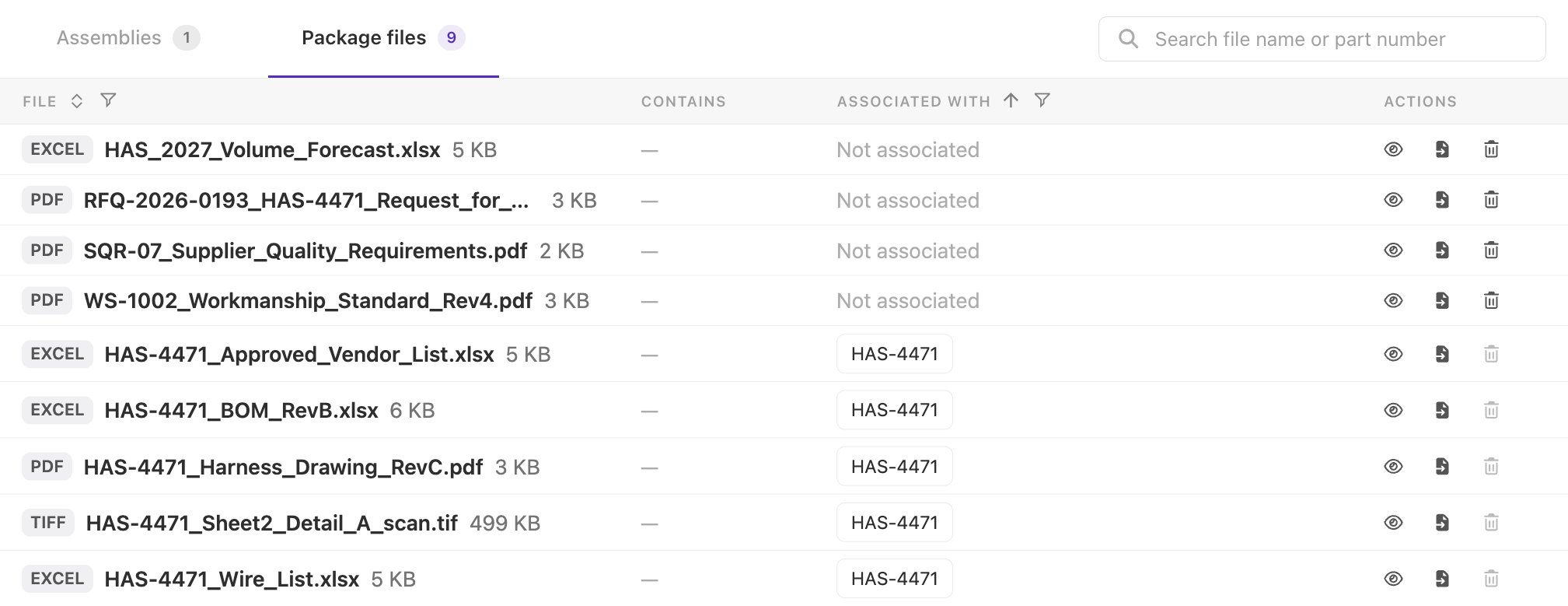
Every file found. Every gap flagged.
Forward the RFQ email or upload the package. Cableteque sorts it before your team starts the quote.
-
Finds every fileDrawings, BOMs, AVLs and specs, even when they're buried in zip folders and long email threads.
-
Flags what's missingSo you go back to the customer on day one, not halfway through the quote.
See RFQ Intake on your own packages
Bring a real RFQ. We'll show you what Cableteque finds and what it flags.
Frequently asked questions
What is Cableteque RFQ Intake?
RFQ Intake reads a customer's RFQ package as it arrives, finds every drawing, BOM, AVL and spec, and flags what's missing, so your team knows whether the RFQ is ready to quote before anyone starts.
What can I send to RFQ Intake?
Forward the RFQ email or upload the package as it arrives: PDFs, scanned prints, TIFF, Excel, CSV, XML, native CAD exports and zip folders.
What does RFQ Intake flag?
Files and information the quote will need that the package doesn't include, such as a missing drawing, BOM or spec, so you can go back to the customer on day one instead of halfway through the quote.
Who uses RFQ Intake?
Inside sales, customer service and estimating teams that receive RFQs and decide what gets quoted.
How does RFQ Intake work with Cableteque Quote?
A complete package goes straight into Cableteque Quote, where Cableteque AI builds the BOM and wire list. See Cableteque Quote.